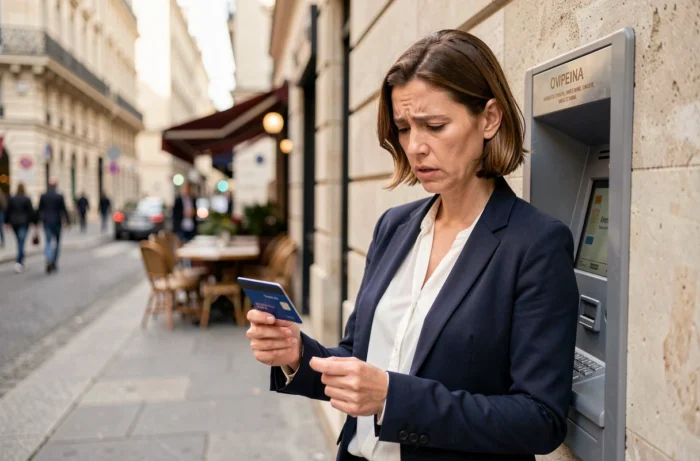
Three incorrect PIN entries on a terminal or ATM, and the LCL card stops working for any payment requiring the secret code. This automatic locking is a standard security measure applied by all banks in the CB network. The situation often generates confusion, as the blocking does not always affect all uses of the card.
LCL PIN Lock: What Remains Usable Despite the Lock
Most articles on the subject present the lock as total. The reality is more nuanced. After three incorrect codes, it is the use of the PIN that is locked, not necessarily the entire card.
In practice, several functions may continue to work at LCL:
- Online payments remain possible if strong authentication goes through LCL Secure (SMS code or validation in the app), since the PIN is not required for these transactions.
- An already configured mobile wallet (Apple Pay, Google Pay) can still allow contactless payments, as authentication relies on the phone’s biometrics and not on the physical card code.
- Transfers from the client area or the LCL My Accounts app are not affected by the PIN lock.
On the other hand, withdrawals at ATMs and in-store payments requiring PIN entry are blocked. If the ATM has swallowed the card, it is necessary to note the exact location of the machine and contact the LCL agency it belongs to. This distinction between PIN lock and total card lock changes the game: in an emergency, an online payment or via wallet can help while resolving the issue.
When a blocked LCL card after three incorrect codes also leads to a lock on access to LCL Secure, the situation becomes more complicated and requires direct contact with the bank.

Unlocking Your LCL Bank Card: Concrete Procedures
LCL offers a two-step unlocking procedure, documented in its official tutorials. The first step is through the LCL My Accounts app, the second through an LCL ATM.
Check Your PIN in the App
From a trusted device (already registered smartphone), the LCL My Accounts app allows you to view your PIN in the “Cards” section. This consultation does not unlock the card itself, but it allows you to verify the correct code before moving on to the next step.
Make a Withdrawal at an LCL ATM
Once the code is verified, you need to insert the card into an LCL ATM (not one from another bank) and enter the correct code to make a withdrawal. A successful withdrawal resets the error counter and unlocks the card for all uses. This method only works if the card has not been swallowed and if the lock is indeed on the PIN.
When the App is Not Accessible
Without access to the LCL My Accounts app (lost phone, unregistered device), the only option is to contact an LCL advisor at the agency or by phone. The advisor can initiate a code reset procedure or, if necessary, order a new card.
Unlocking Times for an LCL Card: What the FAQs Don’t Specify
The LCL help pages describe the procedure but remain discreet about actual timelines. Field feedback provides a fairly wide range.
An unlocking via withdrawal at an LCL ATM is almost immediate: just a few minutes are enough if the correct code is entered. The card becomes functional for in-store payments as soon as the operation is validated.
When unlocking goes through customer service or the agency, the delay increases. Depending on the chosen procedure (simple code reset or card reissue), it can take from a few hours to several days. A complete card reissue, with postal delivery of a new code, can take significantly longer than a remote reset.
Feedback varies on this point: some LCL customers report an unlocking in less than 24 hours after calling the advisor, while others mention delays of several days when a new PIN needs to be generated and sent by mail.
Card Swallowed by the ATM: The Special Case Not to Be Confused
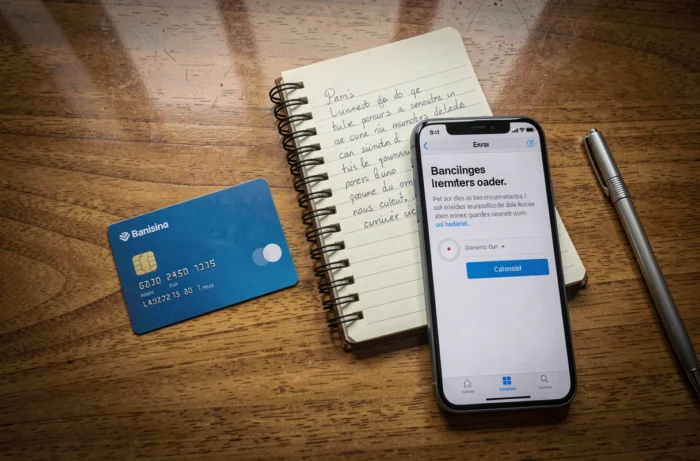
It sometimes happens that the ATM physically retains the card after three incorrect attempts. This scenario is different from a simple PIN lock and requires a quick reaction.
If the card is swallowed by an LCL ATM, the agency attached to that machine keeps the card. You must go there with an ID to retrieve it. Retrieval depends on the agency’s opening hours, which can pose a problem on weekends or in the evening.
If the card is swallowed by an ATM from another bank, the procedure is less direct. The machine forwards the card to the managing institution, and LCL generally has to issue a new card. In this case, blocking the card remains the safest approach to prevent any fraudulent use. The LCL blocking number is available at all times.
Avoiding Recurring Locks: System Parameters and Limits
The lock after three incorrect codes regularly affects customers who use multiple bank cards or frequently change their PIN. A few precautions can reduce the risk:
- Check your PIN in the LCL My Accounts app before any withdrawal if in doubt, rather than attempting a risky entry at the ATM.
- Set up Apple Pay or Google Pay as a backup solution: even in the event of a PIN lock, mobile payment remains operational.
- Activate app notifications to immediately spot any rejected payment attempts, a possible sign of fraudulent use.
The blocking system after three errors does not distinguish between a memory error and a fraud attempt. The counter only resets after a correct entry, not after a waiting period. Waiting a few hours before trying again does not change anything if the entered code remains incorrect.
The most reliable reflex is to check the code in the app before any new attempt at the terminal. A card blocked due to a code error unlocks easily, provided you do not worsen the situation by making random attempts or confusing PIN blocking with card opposition.